

Key Takeaways
- A smart home is defined by internet-connected devices you can control remotely, not by how many gadgets you own.
- A device being 'smart' means it can send or receive data — not just perform a task automatically.
- You don't need a whole-house overhaul to start; a single connected device qualifies.
- Smart home platforms (like voice assistants or apps) act as the hub that ties devices together.
- Connectivity adds convenience but also introduces privacy and security considerations worth understanding.
Smart Home
A smart home is a residence where everyday devices — lights, thermostats, locks, cameras, and more — connect to the internet and can be monitored or controlled remotely, often through a smartphone app or voice assistant. The key word is 'connected': a smart device can send and receive data, respond to commands, and sometimes act automatically based on rules you set. This is fundamentally different from simply having modern appliances.
Most smart home devices communicate over Wi-Fi, Zigbee, Z-Wave, or the newer Matter protocol — a shared standard designed to improve compatibility across different brands and platforms.
The Real Definition: What Makes a Device 'Smart'
The word 'smart' gets applied to almost everything now — TVs, refrigerators, doorbells, even light switches. But what actually earns that label? At its core, a device is smart when it can connect to a network, send or receive data, and be controlled or monitored beyond its physical location.
A regular light switch does one thing: it toggles a circuit. A smart light switch does that too — but it also connects to your home Wi-Fi, reports its status to an app, and lets you turn it off from across town. That loop of connection, communication, and remote control is what separates smart from simply modern.
It's worth being precise here because the label gets stretched. A dishwasher with a delay-start timer isn't smart — it's programmable. A dishwasher that sends a notification to your phone when the cycle ends and lets you start it remotely? That's smart. The dividing line is always the network connection and two-way data exchange.
Connectivity vs. Automation: A Key Distinction
A device being 'connected' just means it can talk to a network. Automation — where devices act on their own based on rules, schedules, or triggers — is a separate capability that some but not all smart devices support. You can own smart devices and never set up a single automation routine, and that's a perfectly valid use case.
What a Smart Home Actually Looks Like in Practice
Hollywood's version of a smart home — where a single voice command controls every surface in the house — isn't the reality most households live in. In practice, a smart home is usually a patchwork of individually connected devices, each doing its own job, that may or may not talk to each other.
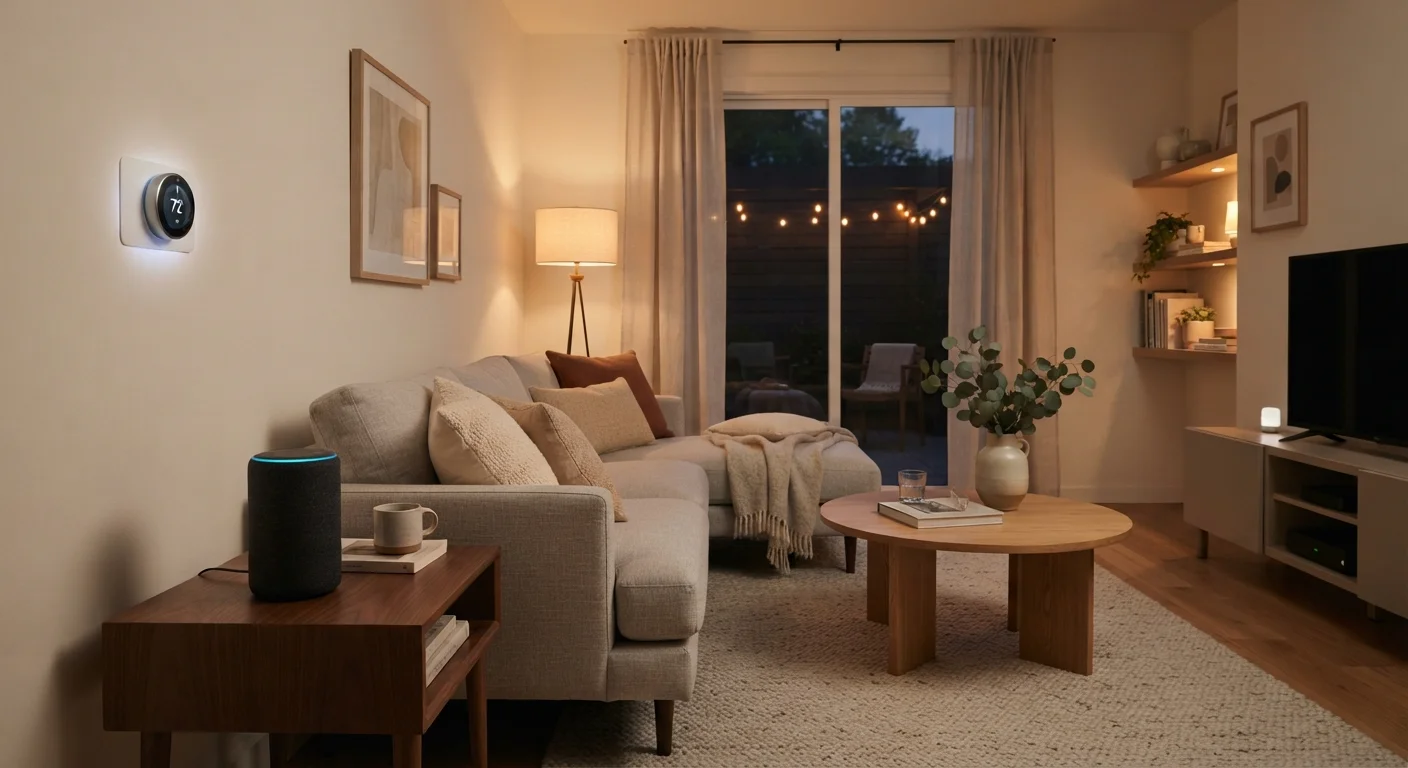
A typical starting point might be a smart thermostat that learns your schedule, a video doorbell you check from your phone, and a few smart bulbs in the living room. None of that requires a dedicated control panel, a professional installer, or a six-figure renovation. It requires a reliable Wi-Fi connection and a smartphone.
Where it gets more sophisticated is when those devices start working together. A motion sensor detects you've left a room and tells the lights to dim. Your door lock recognizes you've arrived home and adjusts the thermostat. This kind of coordination — where devices trigger each other automatically — is called home automation, and it's an optional layer on top of simple smart device ownership.
For a plain-language breakdown of the terms you'll encounter along the way, the smart home tech glossary is a useful reference.
What a Smart Home Is Not
Clearing up the misconceptions is just as useful as the definition itself.
- It is not all-or-nothing. You don't need to replace every device in your home. One connected device counts. Smart home adoption is a spectrum.
- It is not the same as a futuristic or luxury home. Smart devices span a wide range of price points, and many entry-level options exist. Cost is a barrier for some setups but not a requirement of the concept.
- It does not require professional installation. Many devices are designed specifically for DIY setup — plug in, download an app, follow prompts. Complex wiring work is the exception, not the rule.
- It is not inherently secure or inherently dangerous. Like any internet-connected technology, smart devices introduce privacy and security considerations that deserve attention. These aren't reasons to avoid smart home tech, but they're worth understanding before you expand your setup.
If you're weighing those concerns, common smart home privacy misconceptions addresses the most frequently misunderstood points with evidence-based context.
Start With One Room, One Problem
Resist the urge to overhaul your entire home at once. Pick the room where you spend the most time or the task that frustrates you most, and start there. A single well-chosen device that solves a real problem will teach you more about how smart home tech actually works than a cart full of gadgets you haven't needed yet.
How to Think About Getting Started
The most practical approach to a first smart home setup is to start with a problem, not a product. Ask what's genuinely inconvenient or inefficient in your household routine — forgetting to turn off lights, not knowing who's at the door, heating an empty house — and find the connected device category that addresses it.
From there, it helps to understand which platform or ecosystem your devices will live in. Most smart devices are designed to work with one of a few major voice and app platforms. Choosing devices that share the same ecosystem reduces frustration when you want them to work together later.
If you're ready to go deeper, connected home devices for beginners walks through foundational decisions without assuming technical expertise. And for a comprehensive overview of networks, platforms, and setup considerations, everything you need to know before you start covers the full picture in plain language.
A smart home, at its best, quietly handles low-stakes household tasks so you have more attention for what matters. The technology is a tool — and like any tool, it works best when chosen to fit the job, not the other way around.