

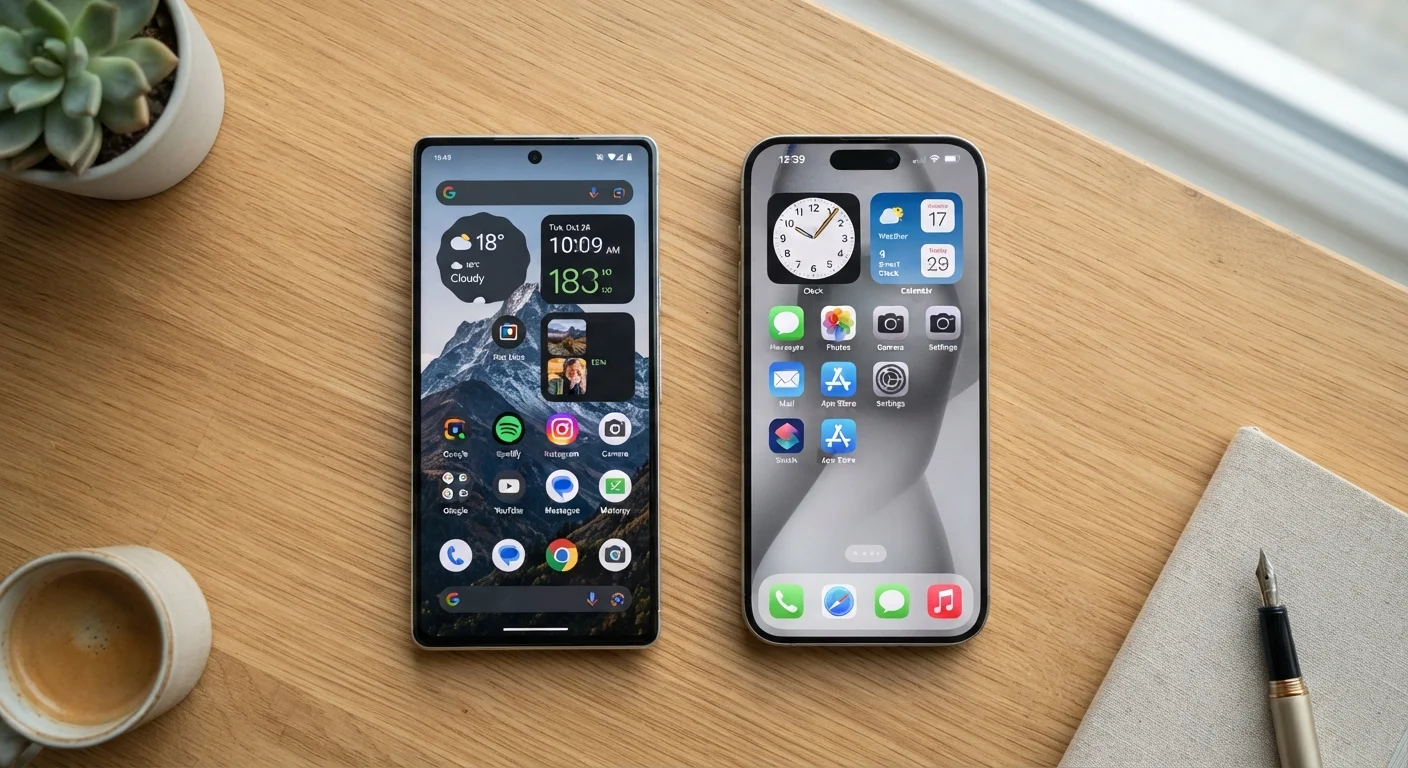
Key Takeaways
- Android offers more customization options; iOS prioritizes a consistent, controlled experience.
- iOS updates reach all supported devices at once; Android updates depend heavily on your device manufacturer.
- Both platforms have strong privacy tools, but they implement them differently.
- Switching between platforms means leaving behind purchased apps and some cloud-stored data.
- Your choice of phone operating system can affect which smart home devices work seamlessly together.
Our Verdict
Android and iOS are both mature, capable platforms — neither is objectively superior. Android rewards users who want flexibility and hardware variety, while iOS suits those who prefer a tightly integrated, low-maintenance experience. The right choice depends on your habits, your household tech, and how much control you actually want over your phone.
| Best for | Recommended |
|---|---|
| Users who want deep customization and hardware variety | Android |
| Users who prioritize consistent updates and a unified device ecosystem | iOS |
| Users already invested in Apple products like Mac, iPad, or Apple Watch | iOS |
| Users who want flexibility in app sources and file management | Android |
The Core Difference: Open vs. Controlled
Android, developed by Google, is an open-source platform (meaning its underlying code is publicly available and adaptable). That openness lets device manufacturers — Samsung, Motorola, OnePlus, and many others — put their own spin on the software. iOS, Apple's operating system, runs exclusively on Apple-made hardware and is tightly managed from top to bottom by a single company.
In practice, this means Android users choose from a wide range of phones at many price points, while iOS users choose an iPhone. Neither approach is wrong — they reflect two different philosophies about how much control a company should have over its products.
For a deeper look at how this kind of ecosystem thinking plays out in your home, see how smart home platforms differ — the same open-vs-closed tension shows up there too.
| Android | iOS | |
|---|---|---|
| Hardware options | Many manufacturers, wide price range | Apple devices only |
| Customization | High — home screen, defaults, sideloading | Moderate — improving but still limited |
| Software updates | Varies by manufacturer and carrier | Direct from Apple, simultaneous release |
| Update longevity | Typically 2–4 years, varies by brand | Generally 5–6 years for supported models |
| Privacy controls | Strong, improving; ad-based business model | Strong; tracking transparency prominent |
| Ecosystem integration | Google services, broad accessory range | Apple devices, iCloud, tight hardware sync |
| App sources | Google Play + sideloading allowed | App Store only (with limited exceptions) |
Customization and Day-to-Day Experience
Android lets you rearrange nearly every element of your home screen, swap out the default keyboard or browser, install apps from sources outside the official app store (called sideloading), and set third-party apps as defaults for things like email or maps. If you like tinkering, that flexibility is a genuine advantage.
iOS is more structured. Apple controls which apps appear in the App Store, and some system defaults — while more flexible than they used to be — are still limited compared to Android. What you gain in return is a consistent experience: every iPhone of the same generation behaves the same way, regardless of carrier or region.
Try Before You Commit
If you're genuinely unsure which platform fits you better, spend time with both before switching. Most phone carriers allow a return window after purchase. Pay attention to how you actually use the phone day-to-day — navigation, notifications, and app habits — rather than feature lists on paper.
Updates, Security, and Long-Term Support
Apple pushes iOS updates directly to all supported devices on the same day. When a security patch drops, every eligible iPhone gets it almost immediately. Android's update process is more fragmented: Google releases updates, then manufacturers adapt them for their hardware, then carriers sometimes review them before they reach your phone. Depending on your device and carrier, that process can take weeks — or updates may stop entirely after a couple of years.
Some Android manufacturers, particularly at the flagship end of the market, have improved their update commitments significantly. But as a general pattern, iOS users tend to receive updates faster and for a longer window after purchase. If long-term software support matters to you — say, you keep a phone for four or five years — that gap is worth factoring in.
Check Update Support Before You Buy
When choosing an Android device, look up the manufacturer's stated update policy before purchasing. Some budget and mid-range Android phones receive security updates for only two years. A phone that stops receiving security patches becomes more vulnerable over time, even if it still works fine otherwise.
Privacy Controls: Similar Goals, Different Methods
Both platforms now offer meaningful privacy tools: app permission controls, the ability to limit ad tracking, and indicators when the camera or microphone is in use. Apple has made privacy a central part of its marketing, with features like App Tracking Transparency (which requires apps to ask before tracking you across other apps and websites). Google has introduced similar controls, though its business model is more advertising-dependent, which shapes some of its defaults.
Neither platform is immune to privacy risks — much depends on which apps you install and what permissions you grant them. For a plain-language walkthrough of the actual controls available on your phone, see your phone's privacy settings explained.
Ecosystem Lock-In: What You're Actually Committing To
This is where many people feel the decision most acutely. If you've bought apps on one platform, you can't transfer them to the other — you'd repurchase or find alternatives. Photos, notes, and messages stored in iCloud don't migrate automatically to Google's services, and vice versa. The more deeply you're invested in one ecosystem, the more friction a switch involves.
iOS integrates particularly tightly with other Apple hardware: AirDrop for file sharing, Handoff for continuing tasks between iPhone and Mac, and seamless pairing with Apple Watch. Android integrates naturally with Google services and, depending on your device, may connect more readily with a wider range of accessories and smart home platforms. If you're deciding between a fitness tracker and a smartwatch to pair with your phone, see fitness tracker or smartwatch — platform compatibility is a real factor there too.
The honest answer is that both ecosystems are well-built. The right one is the one that already fits how you live — or the one your household is already organized around.