

Key Takeaways
- Wi-Fi is generally faster and doesn't count against your cellular data cap.
- Public Wi-Fi networks carry real security risks — avoid sensitive tasks on them.
- Mobile data is more secure by default but costs more and can throttle after limits are hit.
- Your phone switches connections automatically, but you should know when to override that.
- Understanding both connection types helps you protect your privacy and manage your plan.
Option A
Wi-Fi
The home-base connection — fast, free, and fixed.
Best for: Streaming, downloads, video calls, and anything data-heavy done from a stable location.
Option B
Mobile Data
The on-the-go lifeline — flexible but finite.
Best for: Staying connected while traveling, commuting, or anywhere a Wi-Fi network isn't available or trusted.
If you're at home streaming videos or joining video calls
Wi-Fi
Home Wi-Fi is typically faster, doesn't deplete your data allowance, and offers a stable connection for bandwidth-heavy tasks.
If you're checking your bank account on a coffee shop network
Mobile Data
Public Wi-Fi is often unencrypted and vulnerable to eavesdropping. Mobile data provides a more private channel for sensitive logins.
If you're traveling in an area with spotty coverage
Wi-Fi
When your carrier signal is weak, connecting to a trustworthy local Wi-Fi network can give you a more reliable experience.
If you're near your monthly data cap and still need connectivity
Wi-Fi
Switching to Wi-Fi for large downloads and streaming preserves your remaining cellular data for when you truly need it.
If you're sharing a file quickly while away from home
Mobile Data
Mobile data is immediately available anywhere you have cellular coverage, making it the practical choice for quick tasks on the move.
How Each Connection Type Actually Works
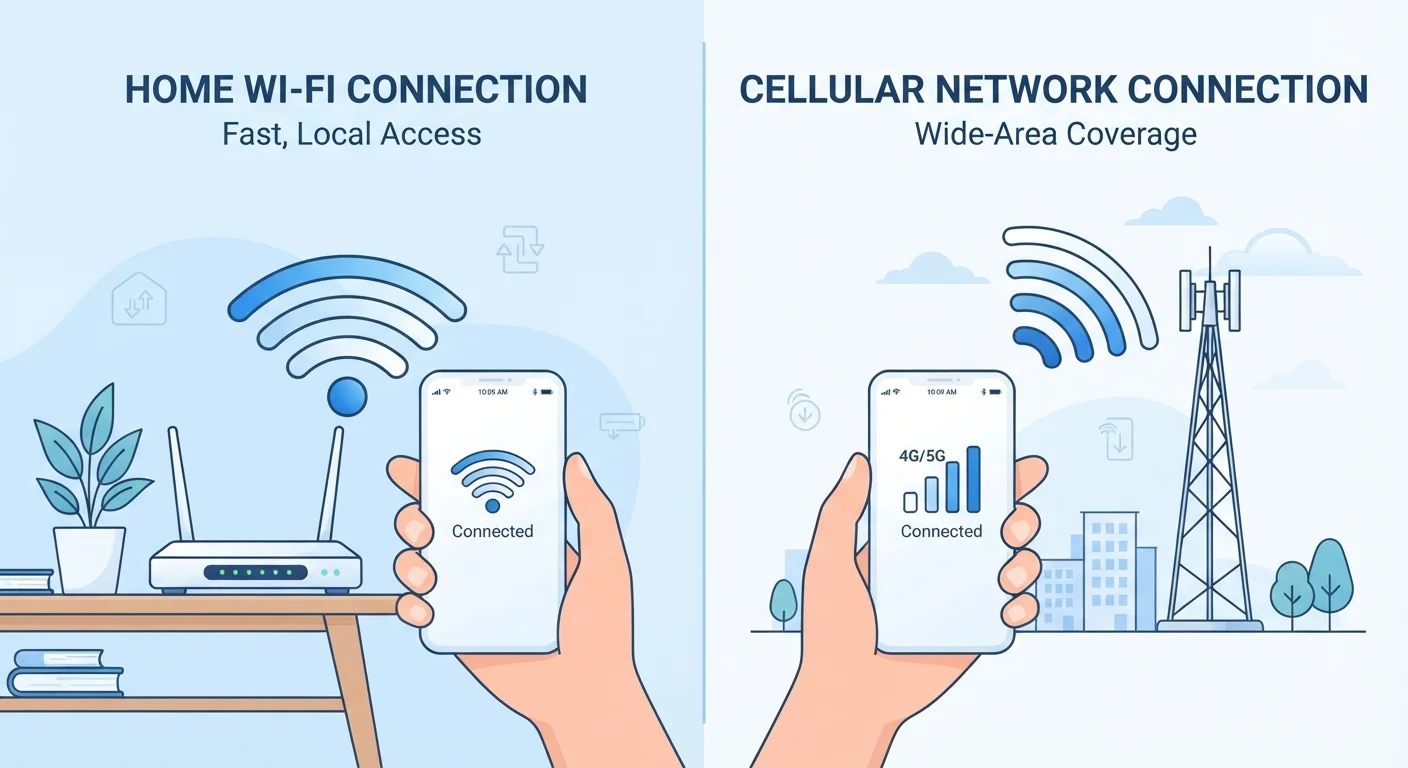
Wi-Fi and mobile data both get your phone online, but they use completely different paths to do it. Wi-Fi connects your device to a nearby router — a box that bridges your local network to your internet service provider's (ISP's) cable or fiber line. That router is physically wired to the broader internet, and your device communicates with it wirelessly over short distances. For a deeper look at how home networks are structured, see how routers and wired connections work together.
Mobile data, by contrast, travels through your cellular carrier's network of towers. Your phone sends and receives data as radio signals to the nearest tower, which connects to the carrier's backbone infrastructure. You're not tied to a physical location — but you are tied to your carrier's coverage map and your plan's data allowance.
The key practical difference: Wi-Fi relies on a local fixed infrastructure you (or a business) controls, while mobile data relies on a nationwide carrier network you pay for by the gigabyte or under a plan limit. A no-jargon glossary of connectivity terms can help if some of these concepts feel unfamiliar.
| Criterion | Wi-Fi | Mobile Data |
|---|---|---|
| Coverage area | Fixed — within router range | Anywhere with carrier signal |
| Typical speed | Often faster at home | Varies by network generation and location |
| Data cost | Included in broadband plan | Counts against cellular data cap |
| Security (public) | Lower on open networks | More private by default |
| Security (home) | Strong with proper password/encryption | Not applicable indoors |
| Reliability | Subject to router and ISP outages | Subject to tower coverage and congestion |
| Best for large downloads | Yes — no data cap impact | Risk of overages or throttling |
Security: The Difference You Can't Ignore
This is where the choice between Wi-Fi and mobile data matters most for everyday users. Not all Wi-Fi networks are created equal. A network at home that you've set up with a strong password and modern encryption is reasonably secure. But open public Wi-Fi — at airports, hotels, coffee shops, and libraries — is often unsecured or minimally protected.
On an unsecured public network, someone on the same network with basic tools could potentially intercept unencrypted traffic. That's a real risk if you're logging into email, a banking app, or any account with sensitive information. Mobile data connections, because they travel through the carrier's encrypted infrastructure rather than a shared local network, are inherently more private for that kind of activity.
Public Wi-Fi and Your Privacy
Most reputable apps now use HTTPS — a protocol that encrypts traffic between your device and the app's servers — which reduces (but doesn't eliminate) risk on public networks. Still, the underlying network can expose metadata like which sites you're visiting. Using mobile data or a trusted VPN on public Wi-Fi adds a meaningful additional layer of protection for sensitive activity.
A practical rule: reserve sensitive transactions — banking, health portals, work logins — for your home Wi-Fi or your mobile data connection. If you must use public Wi-Fi for sensitive tasks, a virtual private network (VPN) — software that encrypts your traffic before it leaves your device — adds a meaningful layer of protection.
Speed, Reliability, and When Each Wins
For most home users, Wi-Fi is faster than mobile data. A typical household broadband plan delivers speeds that far outpace average cellular speeds, and that speed is shared over a predictable, local connection. Tasks like downloading large apps, streaming in high definition, or backing up photos are best done on Wi-Fi.
Mobile data speed, however, has improved significantly with 4G LTE and 5G networks. In some urban areas, 5G mobile speeds can rival or exceed average home broadband — though coverage and real-world performance vary considerably. What 5G means for everyday phone use breaks down what those speed gains actually feel like day-to-day.
Reliability is a different story. Wi-Fi can drop when your router is overloaded, when walls block signal, or when your ISP has an outage. Mobile data can weaken in crowded venues, buildings with thick concrete, or rural areas with limited tower coverage. Neither is infallible — which is why your phone automatically switches between them based on availability, a feature called Wi-Fi calling or seamless handoff depending on the context.
~60%
Share of mobile traffic over Wi-Fi globally
Cisco's annual internet reports have consistently found that the majority of smartphone data consumption occurs over Wi-Fi rather than cellular networks.
1 in 4
Public Wi-Fi networks with no encryption
Security researchers have repeatedly documented that a significant share of publicly accessible hotspots use no password or outdated security protocols.
Smart Habits for Managing Both Connections
Your phone's default behavior is to prefer Wi-Fi when it's available, and that's usually the right call at home. But a few manual habits go a long way toward protecting your data and your plan.
- Turn off auto-join for unknown networks. Many phones will connect to any open Wi-Fi network automatically. Disabling this in settings means you control which networks your device trusts.
- Use mobile data for sensitive logins away from home. Toggling off Wi-Fi when you open a banking or health app in public takes seconds and meaningfully reduces risk.
- Schedule large downloads for home Wi-Fi. App updates, podcast downloads, and software upgrades can be set to Wi-Fi-only in most phones' settings — preventing unexpected data overages.
- Monitor your data usage monthly. Both iOS and Android show per-app data consumption in settings. Knowing which apps use the most helps you manage your plan. See how different cellular plans handle data limits if you're evaluating whether your current plan fits your usage.
If your home Wi-Fi has dead zones that push you onto mobile data indoors, that's a fixable infrastructure problem — comparing mesh systems and traditional routers can point you toward the right solution.