

Key Takeaways
- Smart plugs add remote on/off control to any standard plug-in appliance without rewiring.
- Scheduling features let you automate routines like turning off a lamp at bedtime automatically.
- Smart plugs work best with simple on/off devices — they can't control dimming or speed settings.
- Most models connect over standard 2.4 GHz Wi-Fi, making setup straightforward for most households.
- Energy monitoring is available on some models, giving rough usage data for connected appliances.
- Smart plugs are one of the lowest-barrier entry points into home automation for most consumers.
Smart Plug
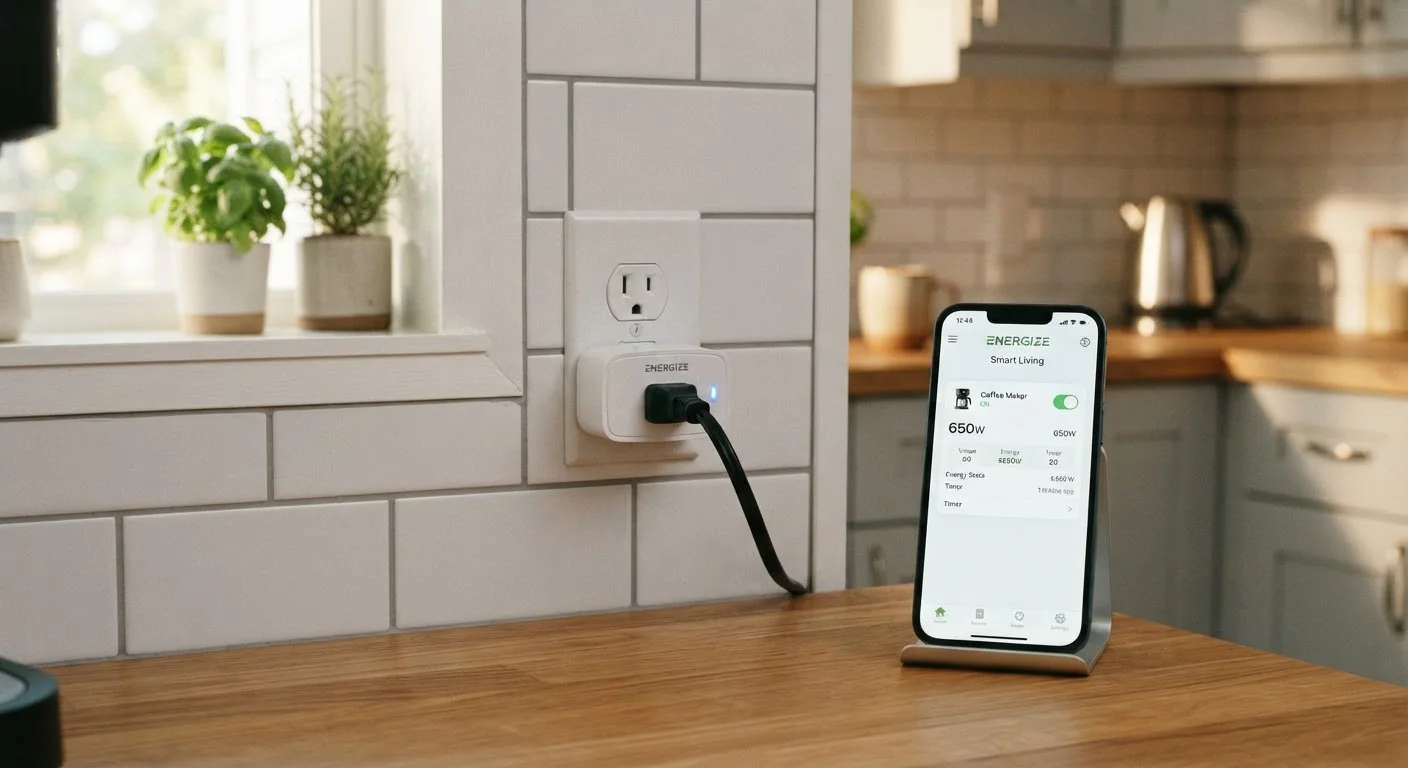
A smart plug is a small adapter that fits between a standard wall outlet and any plug-in device — a lamp, a fan, a coffee maker — and gives you wireless control over whether that device receives power. Using a smartphone app, a voice assistant, or a set schedule, you can turn the connected device on or off without physically touching the switch. No rewiring or special tools are required.
Most smart plugs communicate over Wi-Fi (2.4 GHz) or, in some ecosystems, Zigbee or Z-Wave protocols that require a separate hub device to relay commands.
What a Smart Plug Actually Does
At its core, a smart plug is a remotely controlled power switch. Plug it into any standard wall outlet, connect your appliance to the plug, and you've effectively put a wireless on/off switch between the outlet and the device. From there, a companion smartphone app — or a linked voice assistant — lets you control power from anywhere with an internet connection.
That's it. There's no installation, no electrician, and no modification to your home's wiring. The simplicity is the point. For a fuller picture of how devices like this fit into a broader connected home setup, see what a smart home actually is.
~1W
Typical smart plug standby power draw
Most Wi-Fi smart plugs consume under one watt when in standby mode, making their own energy footprint negligible for most households.
1,200–1,800W
Typical maximum load rating
Most consumer-grade smart plugs are rated to handle between 1,200 and 1,800 watts — sufficient for lamps, small appliances, and entertainment devices, but not high-draw heating or cooling equipment.
2.4 GHz
Wi-Fi band used by most smart plugs
The majority of Wi-Fi-based smart plugs operate on the 2.4 GHz band, which provides broader range than 5 GHz but is more susceptible to interference in dense wireless environments.
The Features That Make Smart Plugs Genuinely Useful
Remote on/off control is the headline feature, but scheduling is where most people find the daily payoff. You can set a lamp to turn on at sunset, have a coffee maker start brewing before your alarm goes off, or cut power to a device overnight without remembering to flip a switch.
Some smart plugs include an energy monitoring feature — a readout in the app showing how much electricity the connected device is consuming. This is useful for getting a rough sense of how power-hungry a particular appliance is, though these readings are estimates rather than utility-grade measurements.
Automation rules are another layer some platforms support: if a certain time is reached, or if another smart device triggers an event, the plug responds automatically. This is where smart plugs begin to connect with the wider concept of home automation, explored in more depth in our guide to connected home devices from first plug-in to daily use.
Make Sure Your Appliance Is 'Always On' Ready
For scheduling to work reliably, the appliance plugged into a smart plug needs to be in a state where it will activate as soon as power is restored. For example, a lamp should have its physical switch turned on, and a coffee maker should already be loaded and set. Devices that default to a standby or 'off' state after losing power won't respond the way you expect.
What Smart Plugs Can't Do
A smart plug controls power — nothing else. It doesn't communicate with the appliance, so it can't dim a lamp (that requires a smart bulb or a dimmer switch), adjust a fan's speed, or change a device's settings. If a device needs to be switched on manually after it receives power — think a TV that defaults to standby — the smart plug won't help much.
There are also load limits to be aware of. Smart plugs carry a maximum wattage rating, typically between 1,200 and 1,800 watts. High-draw appliances like electric space heaters or large window air conditioners may exceed that rating. Using a plug beyond its rated capacity is a safety risk, so matching the plug's specs to your intended use matters.
For a broader comparison of how wireless accessories like smart plugs stack up against hardwired smart home devices, wired vs. wireless smart home device trade-offs lays out the key differences.
High-Wattage Appliances Need Special Attention
Space heaters, window air conditioners, and similar high-draw appliances can exceed the wattage rating of a standard smart plug. Overloading a plug is a fire and safety risk. Always check both the appliance's wattage and the plug's rated capacity before connecting them — and when in doubt, leave high-draw appliances on standard outlets.
Who Gets the Most Out of a Smart Plug
Smart plugs reward people with consistent daily routines. If you always want a certain light on at a specific time, or you routinely forget to turn off an appliance before leaving the house, the scheduling and remote-access features deliver real convenience. Renters benefit especially — there's no modification to the property, and the plug comes with you when you move.
They're also a practical starting point for anyone curious about home automation but hesitant to invest in more complex devices. The cost is low, setup is straightforward, and the payoff is immediate. If you're weighing smart plugs against other beginner-friendly options, smart thermostats, smart plugs, and smart lighting compared offers a side-by-side look at where each one delivers the most value.