

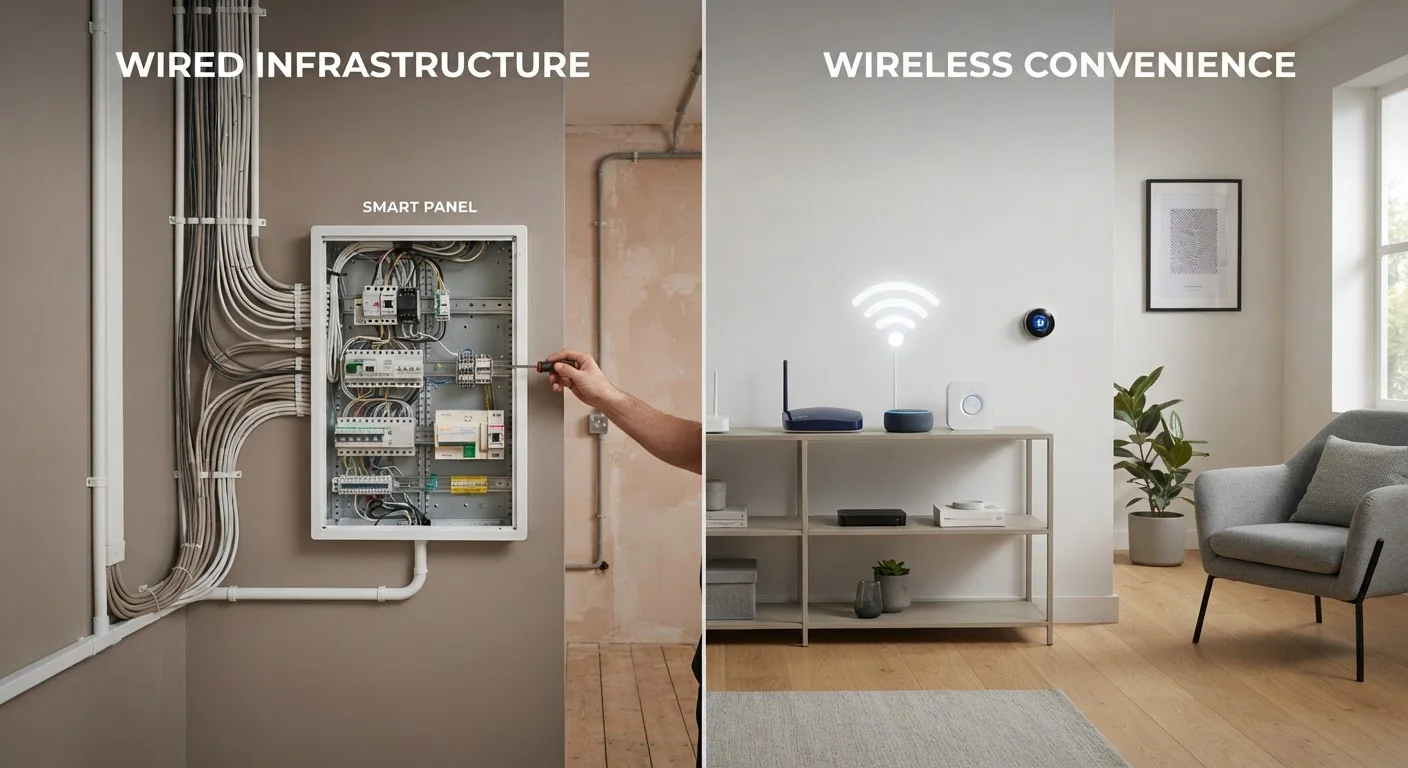
Key Takeaways
- Wired devices offer stronger reliability and lower long-term interference, but require significant installation effort.
- Wireless smart devices are easier to install and reposition, but depend on a stable Wi-Fi or hub signal.
- Your home's construction, existing wiring, and how permanent you want the setup will heavily influence the right choice.
- Many households end up using a mix of both wired and wireless devices depending on the function.
- Understanding your network foundation matters before committing to either approach.
Our Verdict
Neither wired nor wireless smart home devices are universally superior — each suits different situations. Wired connections reward homeowners who prioritize rock-solid reliability and are building or renovating, while wireless devices suit renters, those on tighter budgets, or anyone who wants flexibility to change setups over time. The most practical smart homes often blend both approaches strategically.
| Best for | Recommended |
|---|---|
| Those building, renovating, or rewiring a home | Wired devices |
| Renters or those who want flexible, movable setups | Wireless devices |
| High-reliability applications like security cameras or access control | Wired devices |
| First-time smart home adopters starting small | Wireless devices |
What We Mean by Wired vs. Wireless
In the smart home context, wired devices connect to your home's network or power supply through physical cables — Ethernet, low-voltage wiring, or dedicated smart home bus systems like KNX. Think hardwired security cameras, in-wall smart switches connected to your electrical system, or a smart doorbell wired to existing chime wiring.
Wireless devices communicate over radio frequencies — most commonly Wi-Fi, Zigbee, Z-Wave, or Bluetooth — and are usually battery-powered or plug into a standard outlet. Smart bulbs, wireless motion sensors, and most plug-in smart speakers fall into this category.
For a broader look at how these devices fit into your home ecosystem, see what a smart home actually is. Understanding the network layer underneath your devices is equally important — your home network explained covers the fundamentals clearly.
Where Wired Devices Have a Clear Advantage
The biggest argument for wired smart devices is reliability. A physical cable doesn't compete for airspace with your neighbor's Wi-Fi, your microwave, or a house full of wireless gadgets. For anything where consistent performance matters — security cameras, access control, whole-home audio — a wired connection removes a layer of potential failure.
Wired setups also tend to have lower latency (the delay between sending a command and getting a response), which matters for things like automated lighting that should respond the instant you walk into a room. And because hardwired devices don't rely on batteries, there's no risk of a sensor going offline because no one noticed it was low on power.
The trade-off is installation. Running cable through finished walls is disruptive and often requires an electrician or low-voltage technician. It's most practical during construction or a major renovation — retrofitting an existing home can be expensive and messy.
| Wired Devices | Wireless Devices | |
|---|---|---|
| Reliability | Very high — no signal interference | Depends on network quality |
| Installation effort | High — often needs a professional | Low — usually DIY-friendly |
| Upfront cost | Higher (hardware + labor) | Lower, especially for basic devices |
| Flexibility to relocate | Low — designed to stay in place | High — easy to move or remove |
| Suitable for renters | Rarely — requires permanent changes | Yes — no modification needed |
| Battery maintenance | None — hardwired to power | Required for battery-powered devices |
| Best use case | Security, HVAC, whole-home audio | Lighting, plugs, sensors, speakers |
Where Wireless Devices Make More Sense
Wireless smart devices dominate the consumer market for good reason: they're fast to set up and easy to move. Plug in a smart plug, open an app, and you're done — no tools, no contractors, no wall damage. That flexibility makes wireless the natural starting point for most households, especially renters who can't make permanent changes.
Wireless also wins on cost of entry. Basic smart bulbs, plugs, and sensors are generally much less expensive upfront than their hardwired equivalents, and installation adds nothing to the bill if you're doing it yourself. Devices like smart plugs — explored in detail in this overview of smart plugs — show just how much utility a simple wireless device can deliver without any installation at all.
The challenge is that wireless devices depend on signal quality. A crowded 2.4 GHz band, thick walls, or a router in the wrong location can make devices sluggish or unresponsive. If your home has dead zones or an older router, addressing the network foundation first pays off — mesh Wi-Fi vs. a traditional router explains when a network upgrade is worth it.
Reduce Wireless Congestion Before You Add More Devices
If you're building out a wireless smart home, check how many devices are already on your 2.4 GHz band — this frequency is used by most smart home gadgets and can become congested in busy homes. Moving laptops and phones to the 5 GHz band (faster but shorter range) can free up space for your smart devices. A mesh network can also help distribute the load more evenly across your home.
Practical Considerations Before You Decide
A few questions can clarify which direction makes sense for your situation:
- Are you renting or do you own? Renters almost always default to wireless — hardwiring typically requires landlord permission and must be reversed when you leave.
- Is the home under construction or being renovated? If walls are open, running low-voltage cable is straightforward and cost-effective.
- How stable is your Wi-Fi? Wireless devices are only as reliable as the network supporting them. If signal is inconsistent in key areas, expect device issues.
- How permanent do you want the setup? If you like to experiment and change your setup seasonally, wireless devices offer that flexibility. A wired installation is meant to stay put.
Many homeowners land on a practical middle ground: wired where reliability is non-negotiable (exterior cameras, thermostats, whole-home audio), wireless everywhere else. See where to start with smart thermostats, plugs, and lighting for guidance on which device types reward each approach. For a comprehensive overview of everything to consider before setting up a smart home, this complete smart home guide is a useful next step.
70%+
US households with at least one smart device
According to Statista estimates, smart home device adoption has grown steadily, with most US broadband households owning at least one connected device.
2.4 GHz
Most common wireless band for smart home devices
The majority of smart home sensors and bulbs operate on the 2.4 GHz frequency band, which offers range but is prone to congestion in dense environments.