

Key Takeaways
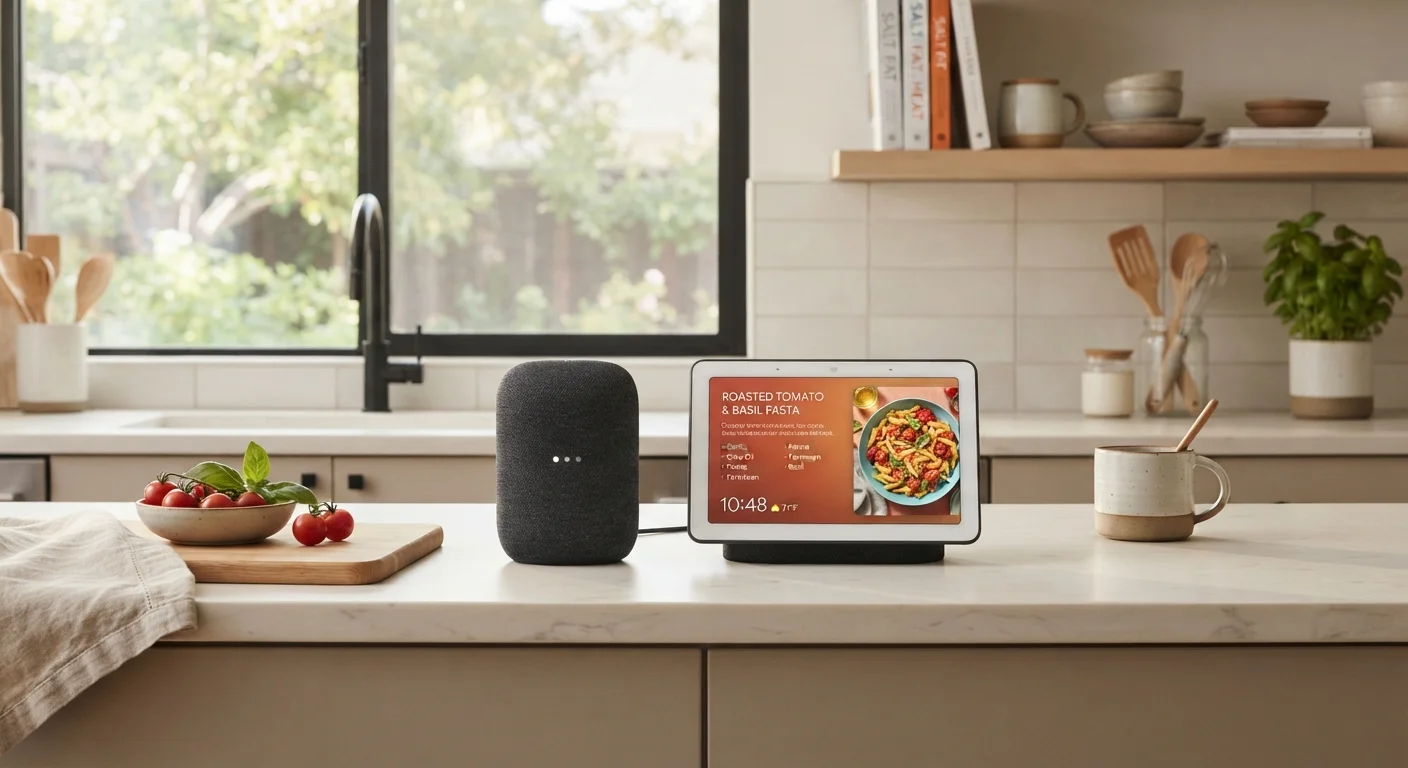
- Smart speakers are audio-first devices; smart displays add a touchscreen for visual interaction.
- A display is particularly useful in the kitchen for following recipes without touching your phone.
- Smart speakers tend to be smaller and more affordable than smart displays.
- Both devices rely on a voice assistant, so platform compatibility matters before you choose.
- Privacy considerations are similar for both — both use always-on microphones by default.
Option A
Smart Speaker
The voice-first, eyes-free kitchen companion.
Best for: Hands-free control, music playback, quick questions, and households that prefer audio over screens.
Option B
Smart Display
The visual hub that adds a screen to your smart home.
Best for: Step-by-step recipes, video calls, visual timers, and households that want at-a-glance information.
If you mostly want hands-free music and quick voice commands
Smart Speaker
A smart speaker handles audio and voice queries efficiently without the added cost or counter footprint of a screen.
If you cook often and want to follow recipes step by step
Smart Display
A screen lets you see ingredients, timers, and instructions at a glance without unlocking your phone or touching anything with messy hands.
If counter space is tight and budget is a priority
Smart Speaker
Smart speakers are physically smaller and generally available at lower price points than comparable smart displays.
If video calls and visual notifications matter to your household
Smart Display
Smart displays support video calling and can show calendar events, weather forecasts, and security camera feeds directly on screen.
What Each Device Actually Does
Both smart speakers and smart displays are voice-activated devices built around a digital assistant — such as Amazon Alexa or Google Assistant. They can answer questions, set timers, control smart home devices, and play music or podcasts. The difference is in how they deliver information.
A smart speaker is audio-only. It has no screen, so every response comes through spoken words or sound. That works well when your hands are full, when you're across the room, or when you simply prefer not to have another glowing screen in your kitchen.
A smart display pairs those same voice features with a touchscreen. When you ask for a recipe, it shows you the steps. When a timer ends, you see it as well as hear it. You can even conduct video calls from the counter while your hands are covered in flour.
For a deeper look at how assistants, speakers, and displays each play distinct roles, see our overview of smart speakers, smart displays, and voice assistants.
| Criterion | Smart Speaker | Smart Display |
|---|---|---|
| Screen | None — audio only | Touchscreen included |
| Recipe guidance | Reads steps aloud | Shows steps visually |
| Counter footprint | Small, cylindrical | Larger, tablet-like |
| Video calls | Not supported | Supported via camera |
| Typical price range | Generally lower | Generally higher |
| Always-on microphone | Yes | Yes |
| Camera | None | Built-in (can be disabled) |
| Visual timers | Audio only | On-screen countdown |
Kitchen-Specific Considerations
The kitchen puts both devices to a specific test: you're often busy, your hands aren't clean, and you need fast, reliable answers without stopping what you're doing.
Where smart speakers excel: Music and podcast playback is seamless. Quick timers — "set a timer for 12 minutes" — work perfectly without looking at anything. The compact footprint means a speaker tucks into a corner without crowding your prep space. Cleanup is simple since there's no screen to wipe down.
Where smart displays add value: Recipes are the standout use case. Rather than squinting at your phone propped against a mug, a display shows ingredients and steps at a readable size. Visual timers let you check progress at a glance. If your kitchen doubles as a household communication hub, a display can show the family calendar, incoming messages, or a live view from a doorbell camera.
35%
U.S. households with a smart speaker
According to Pew Research Center data, roughly one-third of American adults report owning a smart speaker as of recent surveys.
~2×
Average screen size advantage of smart displays
Most kitchen-oriented smart displays offer screens ranging from 7 to 15 inches — considerably larger than a typical smartphone screen propped nearby.
One practical note: smart displays are typically larger and draw more power continuously since the screen stays on in ambient mode. If your counter space is genuinely limited, measure before buying — some displays are compact, others are closer to a small tablet on a stand.
Platform compatibility is worth thinking through before committing to either device. If your household already uses smart bulbs, a thermostat, or a security system, make sure the device you choose works within that same ecosystem. Understanding how smart home platforms differ can save real frustration later.
Privacy and Everyday Practicality
Both device types use always-on microphones that listen for a wake word (like "Alexa" or "Hey Google") before processing your request. This is a common concern, and it's worth understanding clearly. Common smart home privacy misconceptions are worth reviewing before deciding — the reality is more nuanced than either extreme suggests.
Smart displays add a camera for video calls, which some households prefer to keep covered or pointed away from living areas when not in active use. Most models include a physical switch that disables the camera and microphone simultaneously.
Day-to-day, both devices are low-maintenance. They update automatically over Wi-Fi, and setup typically takes under ten minutes. If you're new to connected devices generally, understanding what a smart home actually involves is a useful foundation before adding any device to your network.
Both Devices Work Within Ecosystems
A smart speaker or display doesn't operate in isolation — it's part of a broader platform (Amazon Alexa, Google Home, or Apple's ecosystem). The assistant powering your device determines which smart home products it can control, which streaming services it connects to natively, and how it handles your data. Choosing a device that aligns with gear you already own tends to produce a smoother experience than mixing incompatible platforms.
The bottom line: neither device is objectively better. The right choice depends on how your household actually uses the kitchen and which type of interaction — voice-only or voice-plus-visual — fits your daily rhythm.