
Smart Speakers, Smart Displays, and Voice Assistants: Understanding the Difference

Key Takeaways
- A voice assistant is software; a smart speaker or smart display is the hardware that runs it.
- Smart speakers are audio-first devices designed for listening and responding without a screen.
- Smart displays add a touchscreen, making them better suited for visual tasks like video calls and recipe steps.
- Multiple hardware brands can run the same voice assistant, and one assistant can live on many devices.
- Understanding the difference helps you choose what actually fits your household's daily routines.
Voice Assistant
A voice assistant is software — not a physical device — that listens for spoken commands and responds with information, actions, or answers. It lives inside hardware like smart speakers and smart displays, but also on your phone and TV. The assistant is the brain; the hardware is just the body it lives in.
Voice assistants process speech using natural language processing (NLP) and cloud-based servers, which means most commands require an active internet connection to interpret and fulfill.
Three Terms, Three Different Things
Walk into any consumer electronics section and you'll see products marketed around voice control — but the terminology gets mixed together in ways that cause real confusion at home. Smart speaker, smart display, and voice assistant are three distinct things, and understanding what each one actually is makes every other connected-home decision easier.
Think of it this way: a voice assistant is the software intelligence — the part that understands your question and figures out an answer. A smart speaker and a smart display are two different types of hardware that give that software a permanent home in a room. The assistant is the same; the hardware shapes how you interact with it. This is similar to how the same app can run on both a phone and a tablet — different form, same function underneath.
For more context on how these devices fit into a connected home overall, see what a smart home actually is.
35%
U.S. adults who own a smart speaker
According to Pew Research Center survey data, roughly one-in-three American adults reported owning a smart speaker as of their most recent polling on the topic.
3+
Devices the average voice assistant runs on per household
Industry analysts note that most voice assistant platforms are accessed across multiple device types — phones, speakers, and displays — within a single household.
Smart Speakers: Audio-First, Screen-Free
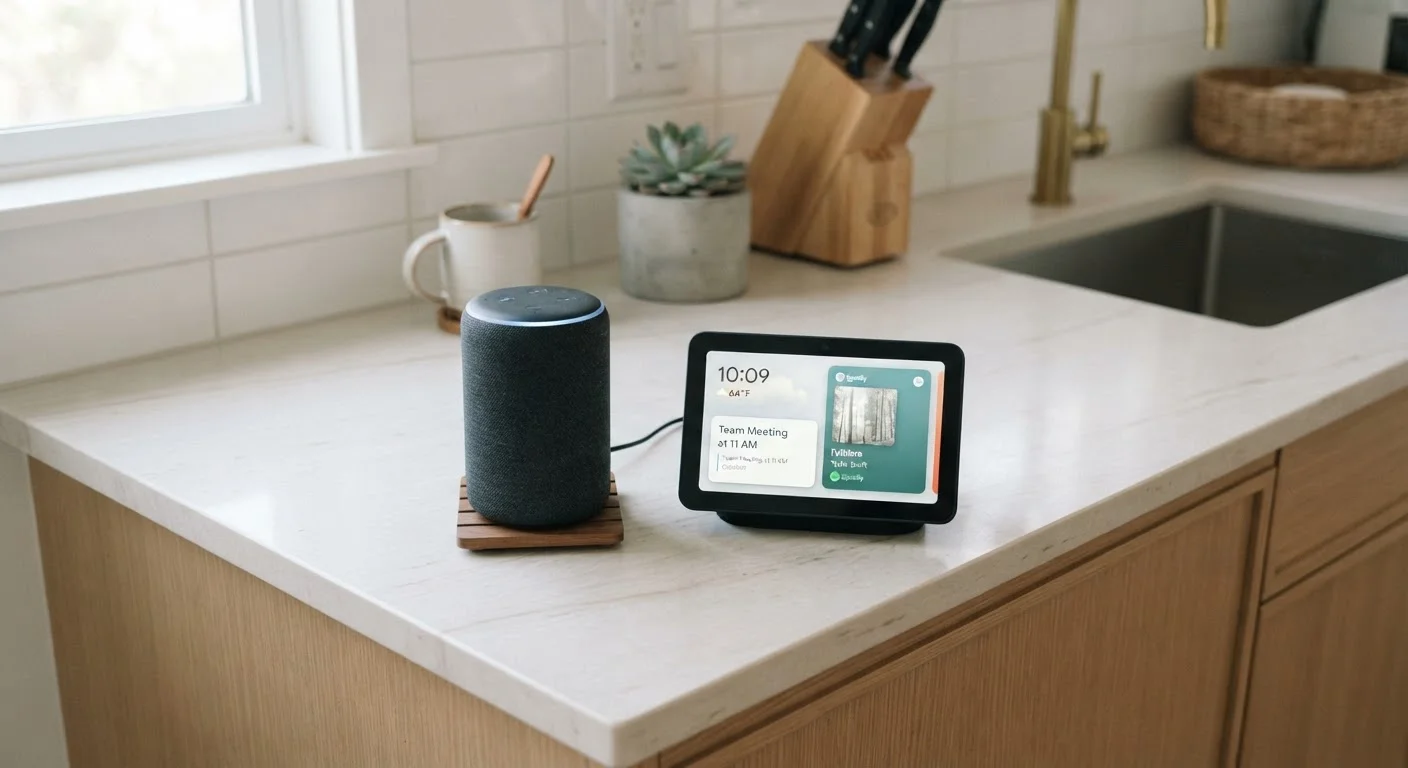
A smart speaker is a wireless speaker with a microphone array and a voice assistant built in. Its primary purpose is audio: playing music, podcasts, or radio, and responding to spoken questions with spoken answers. There is no screen involved.
Because the interaction is entirely voice-based, smart speakers work best for tasks where you don't need to look at anything — setting kitchen timers, asking about the weather, controlling smart lights, or streaming a playlist. They're compact, relatively affordable as a category, and easy to tuck onto a shelf or countertop without dominating the space.
The limitation is the flip side of that simplicity: anything that benefits from a visual — a map, a recipe with photos, a video call — just isn't possible on a screen-free device.
Match the Device to the Room's Needs
If a room is primarily for background music, podcasts, or quick voice commands — a bedroom or a home office — a smart speaker usually covers everything you need. Reserve smart displays for spaces where you genuinely benefit from glancing at a screen, like a kitchen or an entryway. Buying a display for a room where you'll never look at it is simply paying for a feature you won't use.
Smart Displays: When a Screen Changes Everything
A smart display is essentially a smart speaker with a touchscreen added. It handles all the same voice commands, but can also show information visually: a recipe's next step, a security camera feed, a video call, a weather map, or a photo slideshow when idle.
That screen changes the use-case profile significantly. A smart display sitting on a kitchen counter becomes a cooking companion that you can glance at, swipe through, or tap — not just talk to. In a bedroom or living room, it can double as a digital photo frame or a clock with weather information.
The trade-off is size and cost: smart displays are physically larger and generally carry a higher price than comparable smart speakers. For a detailed side-by-side look at both form factors in kitchen and countertop scenarios, see smart speaker vs. smart display.
Voice Assistants: The Software Behind the Hardware
A voice assistant is a platform — software that spans multiple devices. The same assistant that lives in a smart speaker in your kitchen also likely runs on your phone, your car's dashboard, and possibly your TV. When you switch devices, you're not switching assistants; you're just accessing the same platform through a different interface.
Different assistants connect to different smart home ecosystems, which means the assistant you choose has downstream effects on which lights, locks, and thermostats work natively with your setup. This is worth thinking through before buying hardware. How smart home platforms differ is a useful starting point for that research.
If you encounter unfamiliar terms like wake word, Matter protocol, or mesh network while exploring this space, a plain-English smart home glossary can help you decode them quickly.
“The microphone is the interface. Once people understand that the assistant is software and the speaker is just a delivery mechanism, a lot of the confusion about these products clears up immediately.”
— Consumer Technology Association, Industry body representing the U.S. consumer electronics sector