

Key Takeaways
- Earwax and sweat buildup are leading causes of degraded audio quality and driver damage in earbuds.
- How you store and wrap cables directly affects how long wired headphones remain functional.
- Lithium-ion batteries in wireless earbuds last longer when kept between 20% and 80% charge.
- Moisture — from workouts, rain, or even humid storage — is one of the most common causes of early failure.
- Consistent small habits, not expensive accessories, determine how long audio gear actually lasts.
Why Audio Gear Wears Out Faster Than It Should
Most earbuds and headphones don't fail because of manufacturing defects — they fail because of avoidable daily habits. Earwax migrates into driver mesh (the tiny grille that covers the speaker element), sweat seeps into seams, cables are yanked out at angles, and charging cases rattle around in bags. None of this is dramatic. All of it adds up.
Understanding what causes wear is the first step toward preventing it. Whether you use true wireless earbuds, wired in-ears, or over-ear headphones, the damage patterns are largely the same: physical stress on connectors and cables, moisture intrusion on electronics, and biological buildup on surfaces that contact skin or ear canals. Each of these has a straightforward fix.
For a broader look at how different form factors hold up under daily use, see the comparison of over-ear and in-ear headphones.
Cleaning: The Habit Most People Skip
Earbuds that sit in ear canals accumulate wax and skin oils every time you use them. Left unchecked, this debris works its way into the driver mesh and muffles sound — sometimes permanently. Over-ear headphones collect skin oils and sweat on ear cushions, which degrades the foam or leather-like material over time.
Clean earbud mesh and tips after every few uses, not just when sound quality drops.
Wax and debris compact into driver mesh over time, causing permanent muffling. Regular light cleaning prevents buildup from hardening into a blockage that can't be cleared safely.
Remove and dry silicone ear tips separately before storing earbuds.
Moisture trapped between the tip and the earbud body promotes mold growth and accelerates degradation of both the silicone and the housing material underneath.
Coil cables loosely using a relaxed loop rather than wrapping them tightly around a device.
Tight wrapping stresses the internal wire strands at repeated bend points, causing breaks inside the jacket that can't be seen but result in audio cutting out in one ear.
Keep wireless earbuds in their charging case whenever they're not in use.
The case protects charging contacts from lint, debris, and oxidation — the main causes of unreliable charging. It also prevents physical damage that occurs when earbuds rattle freely in bags.
Avoid draining wireless devices to zero repeatedly; top up before the battery drops below 20%.
Deep discharge cycles put more stress on lithium-ion cells than partial cycles, accelerating the reduction in total battery capacity over the device's life.
Store all audio gear away from heat sources and out of direct sunlight.
Elevated temperatures accelerate battery degradation and can warp plastic housings, degrade cushion foam, and weaken cable jacket material.
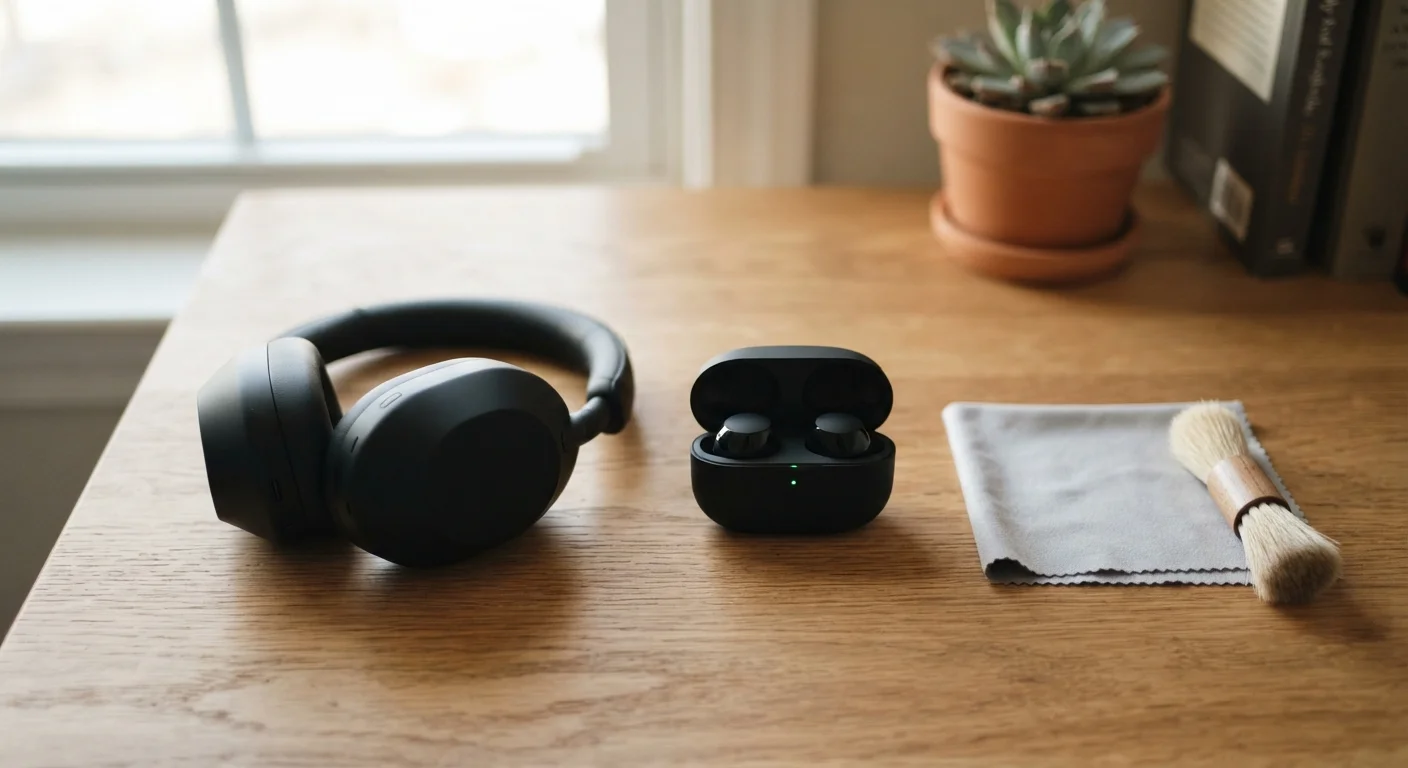
For earbuds, a dry, soft-bristled brush (a clean toothbrush works well) used after each session clears surface buildup before it hardens. For silicone ear tips — the removable rubber pieces that create a seal in your ear — removal and rinsing with warm water weekly is generally safe, though always let them dry completely before reattaching. Never use running water on the earbud body itself unless it carries a confirmed water-resistance rating (look for an IPX4 or higher designation on the packaging).
Over-ear cushions can be wiped down with a lightly dampened microfiber cloth. Avoid alcohol-based cleaners unless the manufacturer explicitly permits them — many cushion materials crack when exposed to solvents.
Use a Dry Brush Before Any Liquid
Always brush loose debris away from earbud mesh before using any moisture — even a barely damp cloth. Wet debris is harder to remove and more likely to be pushed further into the driver housing. A completely dry brush first, then a lightly damp cloth on the outer surfaces if needed, is the safer sequence.
Storage and Cable Handling
The way audio gear is stored between uses accounts for a surprising share of early failures. Wired headphones and earbuds are especially vulnerable to cable damage — the internal wires are thin and the outer jacket (the protective coating around the cable) degrades when cables are coiled too tightly, wrapped around devices, or stuffed into pockets in tight knots.
The correct approach is a loose, relaxed loop rather than a tight wrap. Many users find that an over-under coiling technique — alternating the direction of each loop — reduces internal wire stress. For wireless earbuds, the charging case is the natural storage solution; it protects against dust, physical impact, and lint. Leaving earbuds loose in a bag or pocket invites both physical damage and ingress of debris into charging contacts.
Over-ear headphones benefit from a dedicated case or a hook-style stand when not in use. Folding headphones should always be collapsed before storage to reduce stress on the hinge — the most common structural failure point on foldable designs.
Battery Care for Wireless Devices
Wireless earbuds and headphones run on lithium-ion batteries — the same chemistry used in smartphones. Lithium-ion cells degrade naturally with charge cycles, but charging habits can significantly slow that degradation.
300–500
Typical full charge cycles before lithium-ion capacity noticeably drops
Battery researchers generally cite this range as the point at which lithium-ion cells retain roughly 80% of original capacity under typical use conditions.
20%–80%
Charge range that minimizes lithium-ion battery stress
Keeping lithium-ion devices within this window during routine use is a widely cited recommendation from battery longevity research for extending cell lifespan.
Allowing a battery to drain completely to zero repeatedly stresses the cell. Similarly, leaving devices at 100% charge on a charger for extended periods generates heat that accelerates wear. The general guidance from battery researchers is to keep lithium-ion devices in the 20%–80% charge range for routine use, charging to full only when you genuinely need maximum runtime.
Heat is the other major battery killer. Leaving a charging case in a hot car or in direct sunlight shortens battery lifespan measurably. Store devices at room temperature when possible.
Battery Replacement Is Sometimes an Option
Most true wireless earbuds have non-replaceable batteries, meaning battery degradation eventually shortens usable time per charge. Some over-ear headphone models do offer battery replacement either through the manufacturer or third-party repair services. If battery life has noticeably shortened on your device, check the manufacturer's support page before assuming the device needs full replacement.
If you're weighing whether wireless earbuds are worth the battery management trade-offs versus wired options, the true wireless vs. wired breakdown covers what you gain and give up with each approach.
Moisture and Environmental Protection
Water and electronics are a familiar pairing — and personal audio gear is particularly exposed. Sweat from workouts, rain, and even humid bathroom environments introduce moisture into seams, ports, and driver housings. IPX ratings (a standardized measure of water and dust resistance) indicate how much moisture a device can tolerate, but they don't mean waterproof. An IPX4 rating means the device can handle splashes from any direction — not submersion or a heavy downpour.
After workouts, wiping earbuds down before placing them in the case prevents sweat from being trapped against charging contacts, which causes corrosion. If audio gear does get wet from rain or a spill, let it air dry at room temperature — never use a heat source like a hair dryer, which can warp plastic and damage internal adhesives.
Runners and active users should pay particular attention to these habits. The guide to earbuds for running outlines which water-resistance specifications to look for if workouts are a regular use case.
“The enemies of consumer electronics longevity are almost always the same: moisture, heat, and physical stress on connectors. Most devices fail at a seam, a port, or a cable — not because the core components gave out.”
— Consumer Electronics Repair Association, Industry trade body representing independent electronics repair professionals