

Key Takeaways
- Fit and ear tip size affect both comfort and sound quality more than most shoppers realize.
- IP water-resistance ratings have specific limits — they don't mean a device is fully waterproof.
- Audio codec support only matters if both your earbuds and phone support the same one.
- Battery life figures on packaging often reflect ideal conditions, not real-world use.
- Active noise cancellation performance varies widely and depends heavily on ear seal quality.
- Latency — the delay between audio and video — is a genuine concern for video watchers and gamers.
Why Earbud Shopping Goes Sideways
Wireless earbuds have become one of the most purchased personal electronics categories, and the market is crowded with options at every price point. That abundance is useful — but it also makes it easy to focus on the wrong things. Shoppers often get distracted by brand reputation or headline features while overlooking practical details that directly affect daily satisfaction.
The eight mistakes below show up repeatedly, and most of them are avoidable once you know what to look for. Whether you're buying for commuting, workouts, or calls, understanding these points will help you make a more informed choice. For a broader look at fit and format decisions, see how over-ear and in-ear designs compare.
Ignoring ear tip fit
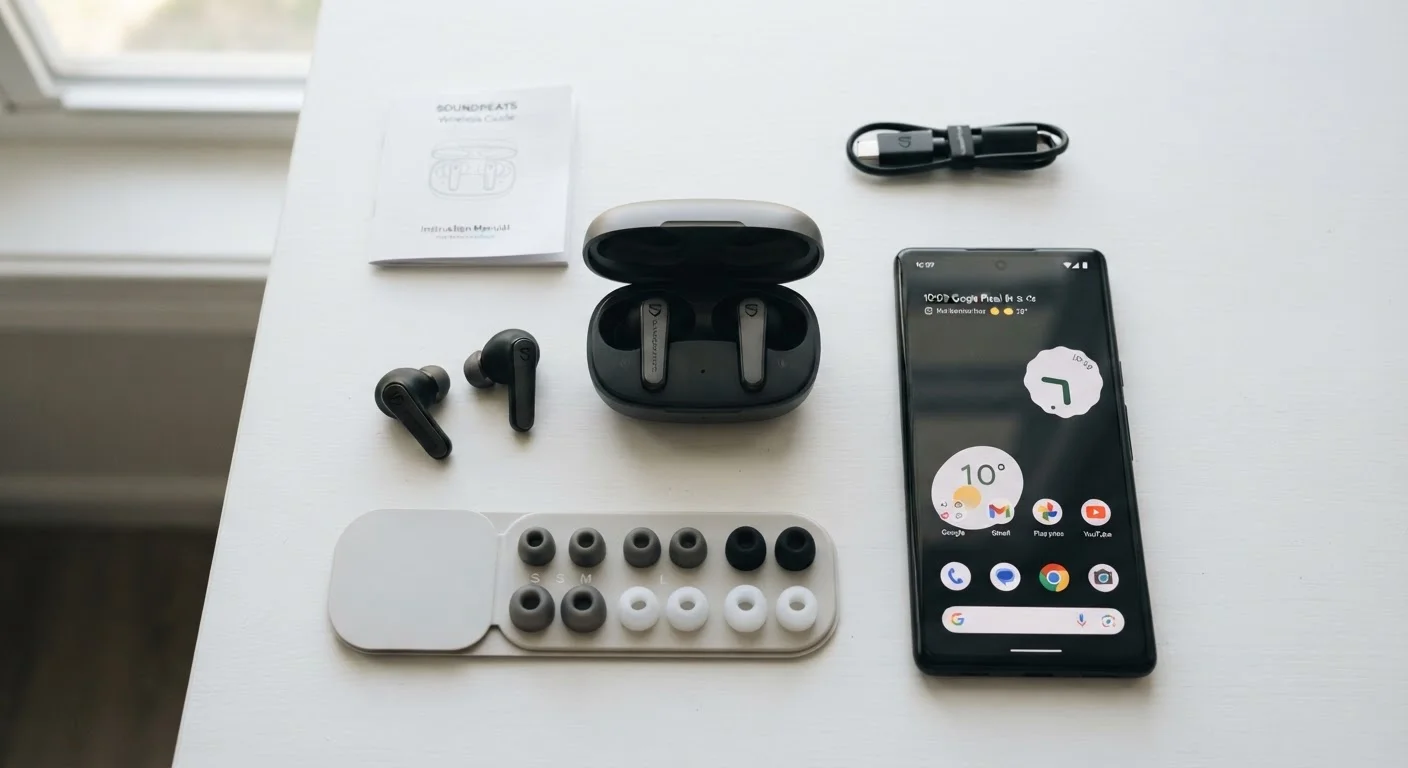
Most earbuds ship with small, medium, and large silicone tips, but many buyers use whatever comes pre-installed. Fit determines whether the earbud stays put, how much outside noise is blocked passively, and how bass-heavy the sound feels. A loose fit lets low frequencies escape, making audio sound thin regardless of how good the driver inside is. Try each size and choose the one that creates a gentle seal without causing pressure or discomfort.
Fit shapes your entire listening experience — it's not a detail to skip.
Misreading IP water-resistance ratings
An IP (Ingress Protection) rating like IPX4 means the earbuds can handle splashing water from any direction — sweat and light rain included. It does not mean they can be submerged or rinsed under a faucet. IPX7 allows brief submersion up to one meter, but even then, repeated exposure degrades the seals over time. If you're buying for workouts, confirm the rating covers your actual use case rather than assuming any water-resistance label is equivalent. For workout-specific guidance, see what specs actually matter for running earbuds.
IPX4 and IPX7 are very different — the number is the spec that counts.
Assuming codec names equal better sound
Terms like aptX, LDAC, and AAC appear on packaging as selling points, but a codec (the algorithm that compresses and transmits audio over Bluetooth) only upgrades your sound if both your earbuds and your phone support the same one. An iPhone, for example, doesn't support aptX — it defaults to AAC. Mismatched codec support means you'll fall back to the baseline SBC standard regardless. Understanding what each codec actually does helps you evaluate whether a spec on the box will benefit you specifically.
A codec upgrade only works when both devices share the same support.
Taking battery life figures at face value
Manufacturers test battery life under controlled conditions — moderate volume, no active noise cancellation (ANC), stable temperature, and a brand-new battery. Real-world use with ANC enabled, higher volumes, and phone calls can cut quoted figures by 20–40%. Always look for the ANC-on battery figure if one is listed separately, and factor in how the case's charging capacity extends total listening time between wall charges.
Battery life claims are best-case numbers — real use almost always falls short.
Overestimating active noise cancellation
Active noise cancellation (ANC) uses microphones and signal processing to reduce continuous ambient sounds like engine hum or air conditioning. It is less effective against sudden, sharp sounds and voices. Performance also depends heavily on ear seal — if tips don't fit well, ANC has less to work with. The quality of ANC implementation varies considerably between models, so a marketing claim of "industry-leading ANC" doesn't carry a standardized meaning.
ANC works best on steady hum — it isn't a silence switch.
Overlooking latency for video and gaming
Latency is the delay between audio being transmitted and you hearing it. Standard Bluetooth introduces a small delay that's usually unnoticeable for music but becomes visible as lip-sync drift when watching video or playing games. Some earbuds include a dedicated low-latency mode that reduces this delay. If you plan to use earbuds primarily for video content or mobile gaming, latency is worth checking — not just audio quality. For connectivity issues more broadly, understanding why wireless audio drops is a useful reference.
Latency is invisible during music but obvious the moment you watch video.
Forgetting about call quality
Many shoppers evaluate earbuds entirely on music playback, then discover the microphones are poor on calls. Microphone placement, the number of mics used for wind noise reduction, and how the device handles voice pickup in noisy environments all affect how you sound to the person on the other end. If calls are a regular use case — for remote work, commuting, or caregiving — read reviews that specifically test call quality rather than only music performance.
How you sound on calls matters as much as how music sounds to you.
Treating wired vs. wireless as purely a quality trade-off
A common assumption is that going wireless always means sacrificing audio quality. In practice, the gap has narrowed considerably, and the more meaningful differences involve convenience, battery management, and use-case fit. Wireless earbuds introduce compression and battery dependency; wired headphones eliminate both but add a cable. Neither is universally better. A clear breakdown of what changes when you go wireless can help you decide which trade-offs fit your routine.
Wireless vs. wired is a trade-off in convenience and dependency, not just sound.
Making a More Confident Decision
None of these mistakes require technical expertise to avoid — they mostly come down to slowing down and asking the right questions before you decide. Check what ear tip sizes are included, read the IP rating fine print, and match the codec list against your phone's specs before assuming you'll get premium audio quality.
Test before you commit if possible
If a retailer allows returns within a reasonable window, use the full period to test earbuds in your actual environments — your commute, your workspace, your workout. Lab conditions on a product page can't replicate how a specific pair fits your ears or handles your phone's Bluetooth stack. Keeping the original packaging makes returns straightforward if something doesn't work for you.
For guidance on navigating a crowded market without overspending, practical decision-making frameworks can help you cut through the noise. And once you own a pair, proper care habits will extend how long they stay functional.