

Key Takeaways
- Android offers more customization options; iOS prioritizes a consistent, controlled experience.
- iOS devices receive software updates simultaneously across supported models; Android update schedules vary by manufacturer.
- Both platforms have robust privacy controls, but they approach data handling differently.
- Your existing devices and services often matter more than the operating system itself when choosing a phone.
- App availability is broadly similar, though some apps launch first or exclusively on one platform.
Option A
Android
The open, flexible platform built for customization.
Best for: Users who want more control over how their phone looks, works, and connects to other devices and services.
Option B
iOS
The tightly integrated ecosystem built for consistency.
Best for: Users who prioritize a seamless, predictable experience across Apple devices with minimal tinkering required.
If you want to personalize your phone's layout, widgets, and default apps
Android
Android lets you change default browsers, email clients, launchers, and more — giving you far more control over how your phone behaves day to day.
If you already use a Mac, iPad, or Apple Watch
iOS
iOS integrates tightly with other Apple devices through features like AirDrop, Handoff, and iMessage, making your devices work together with very little setup.
If timely security and software updates are a top priority
iOS
Apple pushes updates to all supported iPhones at once, so you're not waiting on a carrier or phone maker to deliver security patches.
If you use a wide mix of Google services like Gmail, Maps, and Drive
Android
Google's apps and services are built into the Android experience and tend to work more fluidly than their iOS counterparts.
If you want a phone that fits a tighter budget with more hardware variety
Android
Android runs on phones across a wide range of price points from many manufacturers, giving you more options to match your needs and spending preferences.
The Core Difference: Open vs. Controlled
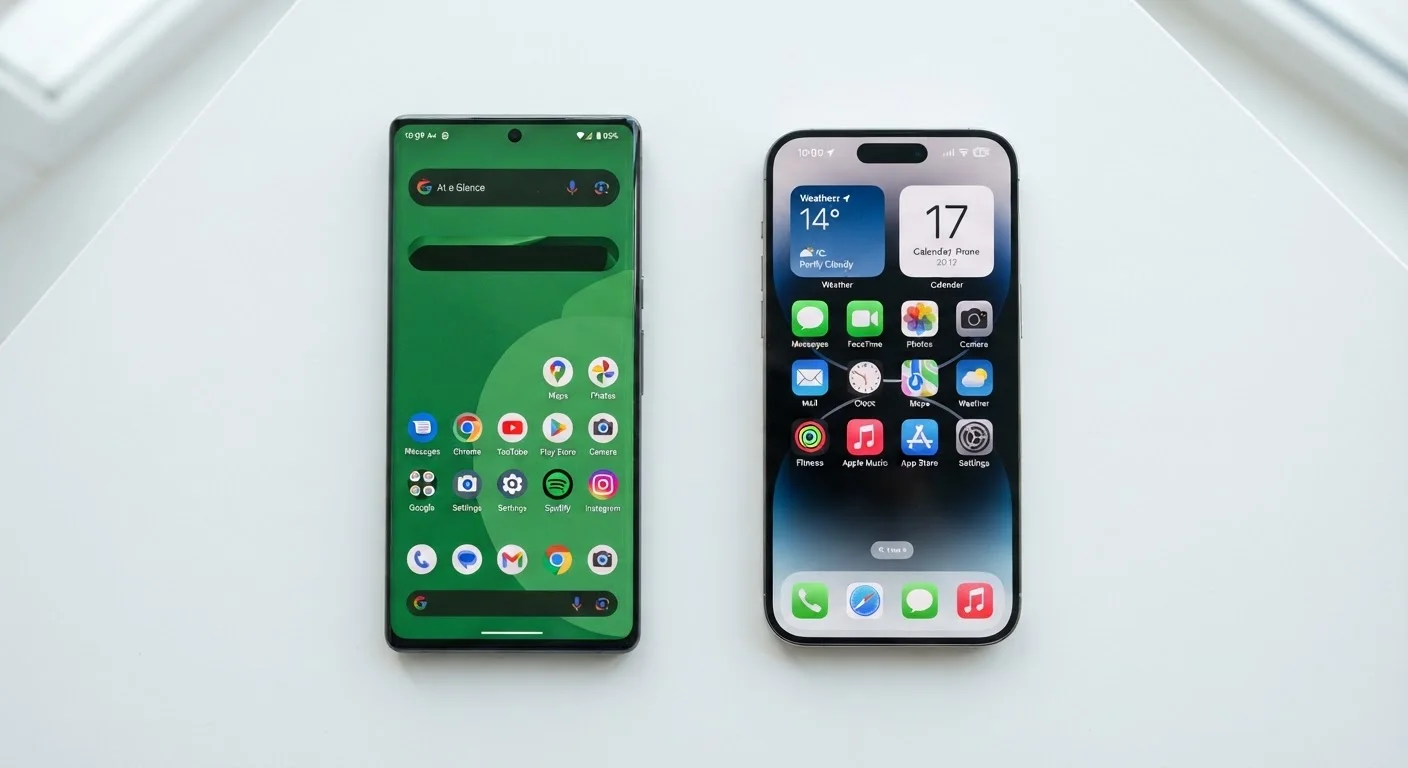
Android is developed by Google and used by many different phone manufacturers, which means no two Android phones are identical out of the box. iOS, made by Apple, runs exclusively on iPhones. That single distinction drives almost every difference between the two platforms.
Think of Android as a framework that hardware makers can adapt — some add their own apps, menus, and visual styles on top of Google's base. iOS, by contrast, is a closed system. Apple designs both the software and the hardware, which gives it tighter control over how everything works together.
Neither approach is objectively better. The right fit depends on how you use your phone and what other devices are already in your life. If you're also weighing a tablet alongside your smartphone decision, see our breakdown of tablets versus laptops for related context.
Customization and Day-to-Day Control
Android gives users more flexibility in shaping the phone's interface. You can swap out the default app launcher (the home screen experience), set a third-party browser or email app as your default, and place widgets — small interactive panels — almost anywhere on your screen. Sideloading (installing apps from outside the official app store) is also possible on Android, though it carries security risks and is best approached with caution.
iOS is more structured. Apple controls what apps can do and how they interact with the system, which limits deep customization but also reduces the chance of a poorly made app causing problems. In recent years, Apple has expanded customization options — including more widget flexibility and the ability to change some default apps — but Android still offers a wider range of control overall.
| Criterion | Android | iOS |
|---|---|---|
| Customization | High — defaults, launchers, widgets | Moderate — improving, but more structured |
| Hardware variety | Many manufacturers and price points | Apple hardware only |
| Software update delivery | Varies by manufacturer and carrier | Simultaneous across supported iPhones |
| Privacy controls | Robust, but varies by device | Consistent app-tracking transparency |
| Ecosystem integration | Strong with Google services | Strong with Apple devices and services |
| App availability | Broad; some apps launch later | Broad; some apps launch first |
| Ease of switching | Moderate friction when leaving Android | Moderate friction when leaving iOS |
Privacy, Security, and Updates
Both platforms have invested heavily in privacy features, but they take different approaches. Apple's model limits how much data third-party apps can collect and displays clear prompts when an app wants to track you across other apps and websites. Google's model is also privacy-conscious, but Android's open nature means the experience can vary depending on which phone and apps you use.
Software updates are a meaningful practical difference. Apple releases iOS updates to all supported iPhones simultaneously. On Android, updates travel through Google, then the phone manufacturer, and sometimes the wireless carrier before reaching your device — a process that can take months or skip older models entirely. This matters for security: a delayed patch leaves a window where known vulnerabilities remain unaddressed.
For a closer look at managing privacy settings on either platform, our guide on your phone's privacy settings walks through what each control actually does.
A Note on Android Fragmentation
Because Android runs on hardware from dozens of manufacturers, the experience on one Android phone can look and feel quite different from another. When evaluating Android, it helps to look at a specific phone model rather than treating all Android devices as identical. The version of Android a manufacturer ships — and how long they commit to updates — varies considerably.
Apps, Ecosystem, and Switching Costs
The app gap between Android and iOS has largely closed. Most major apps are available on both platforms, though some launch on iOS first and a handful remain exclusive to one store. Gaming apps sometimes appear on iOS earlier; certain Google apps feel more at home on Android.
Where the choice gets stickier is ecosystem lock-in. If your household uses Apple TV, AirPods, or a Mac, an iPhone slots in naturally. Features like iMessage (Apple's messaging service) work seamlessly between Apple devices but deliver a reduced experience when texting Android users. Similarly, if you rely on Google services — Docs, Photos, Assistant — Android tends to integrate them more smoothly.
Switching platforms later is possible but involves some friction: app purchases generally don't transfer, and services like iMessage require deliberate steps to deactivate. If your phone connects to smart home devices, those ecosystem considerations carry over too — see our guide to smart home platform differences for more on that. Storage planning also plays a role here; our smartphone storage guide can help you figure out how much space you'll realistically need on either platform.
~55%
U.S. smartphone market share held by iOS
According to Statcounter data, iOS has maintained a majority share among U.S. smartphone users in recent years, while Android leads globally.
3–5 years
Typical guaranteed Android OS update window (leading models)
Several major Android manufacturers have extended guaranteed update commitments, though this varies significantly by brand and device tier.