

Key Takeaways
- 64GB is generally the minimum viable storage for most smartphone users today.
- Photos and videos are the biggest storage consumers on the average person's phone.
- Cloud backup can extend usable storage but requires a reliable internet connection.
- Android phones sometimes support expandable storage via microSD cards; iPhones do not.
- Choosing more storage upfront is almost always cheaper than paying for cloud subscriptions later.
Smartphone Storage
Smartphone storage refers to the built-in space on your phone used to hold apps, photos, videos, music, and system files. Unlike your phone's memory (RAM), which handles what's running right now, storage is permanent — it stays put even when the phone is off. The number you see advertised (like 128GB) is the total capacity available on the device.
GB stands for gigabyte, a unit of digital data. 1GB holds roughly 250 photos at standard resolution, about 200 songs, or one high-definition movie. Higher-tier devices are now commonly offered in 256GB or 512GB configurations.
What the Numbers Actually Mean
When you see a phone advertised as 128GB or 256GB, that number describes the total built-in space for everything on the device — your apps, downloaded music, photos, videos, and the operating system itself. The OS alone typically occupies 10–20GB right out of the box, so the space you actually get to use is always less than what's printed on the box.
Storage tiers have shifted considerably over the years. Options that were once considered generous — 16GB or 32GB — are now impractically small for most users. Today's baseline for a new phone is typically 64GB, with 128GB being the most common sweet spot, and 256GB or higher available for users with heavier needs.
10–20GB
Typical OS footprint out of the box
Both iOS and Android operating systems, along with preinstalled apps, commonly consume this range before any personal files are added.
~400MB
Storage used per minute of 4K video
Storage consumption varies by compression and frame rate settings, but this is a broadly representative estimate for standard 4K recording on modern smartphones.
3–5 years
Average smartphone ownership period
Research from consumer behavior analysts suggests most Americans keep a smartphone for roughly this span, making upfront storage decisions consequential for the long term.
Who Needs What: Matching Storage to Your Habits
Rather than picking a number at random, think about how you actually use your phone day to day.
- Light users — primarily calling, texting, email, and a handful of social apps — can often manage comfortably with 64GB, especially if they back up photos regularly.
- Average users — those who take frequent photos, use a dozen or more apps, and occasionally download music or podcasts for offline listening — will find 128GB a natural fit.
- Heavy users — people who shoot 4K video, play graphics-intensive games, or keep large offline media libraries — should seriously consider 256GB or more.
If you're unsure where you land, open your current phone's settings and check how much storage you're already using. If you're consistently above 70–80% capacity, moving up a tier is likely worth it.
Check Your Current Usage First
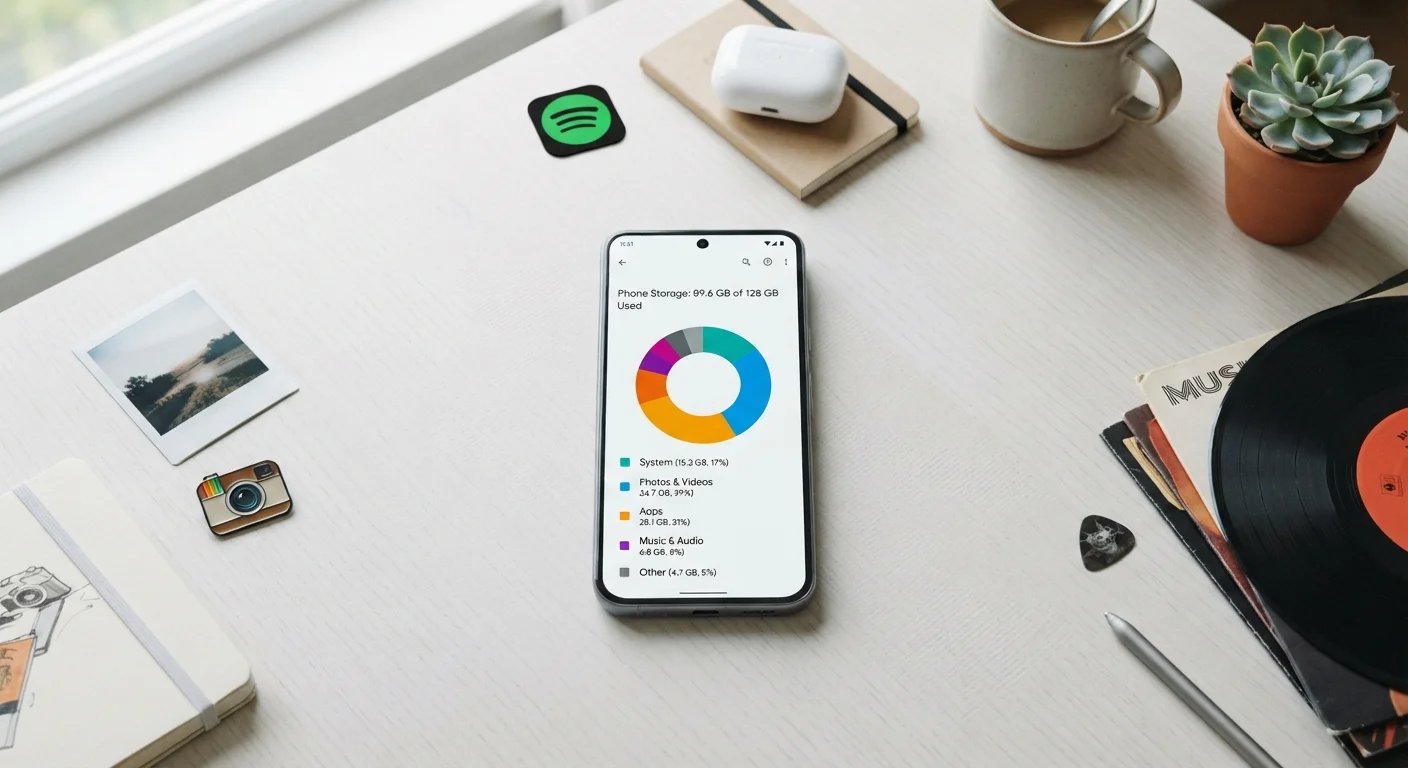
Before deciding on a storage tier, open Settings on your current phone and look at your actual storage breakdown. Most phones show a color-coded chart that splits usage by category — photos, apps, system, and other. If you're consistently at 80% or above, size up. If you're hovering around 40–50%, your current tier is likely fine.
Photos, Apps, and the Surprising Culprits
Photos and videos are usually the largest storage consumers — a single minute of 4K video can occupy 400MB or more. But apps accumulate space in less obvious ways too. Social media platforms, navigation tools, and music apps store cached data (temporary files saved to speed up loading) that quietly grows over time.
If your phone feels full but your photo library looks manageable, cached data is often the culprit. Our guide to what's actually eating your phone storage walks through exactly how to find and clear those hidden files without losing anything important.
It's also worth knowing that Android and iOS handle storage differently — some Android devices let you add a microSD card for extra space, while iPhones do not offer that option at all.
Cloud Storage: A Complement, Not a Replacement
Cloud services — where your files are stored on remote servers rather than on the device itself — are commonly promoted as the solution to storage limits. They genuinely help, especially for photos and documents you don't need instant offline access to. But they come with real trade-offs: you need a stable internet connection to access files, uploads consume mobile data, and most services require a paid subscription beyond a basic free tier.
Relying entirely on cloud backup also means that in a dead zone — a rural area, an airplane, or a spotty Wi-Fi location — you can't access anything stored only online. The most practical approach for most people is a hybrid: automatic photo backup to the cloud, with enough on-device storage for apps, downloads, and recent media.
Free Cloud Tiers Fill Up Faster Than You'd Expect
Most cloud services offer a modest amount of free storage — often 5GB to 15GB — before requiring a paid subscription. For anyone taking photos regularly, that free tier can fill up within months. Factor the ongoing cost of a cloud subscription into your decision if you plan to rely on it as a primary backup strategy.
Making the Decision Before You Buy
The best time to think about storage is before you purchase, because upgrading after the fact isn't an option on most modern phones. Consider your current habits, not your aspirational ones — if you've never shot 4K video, you probably won't start immediately after buying a new phone.
Also weigh the long-term picture. Phones typically stay in use for three to five years. The storage you choose today needs to last. If paying a bit more for a higher tier means avoiding constant juggling of files and subscriptions, many users find it worthwhile. If you're genuinely a light user, though, overspending on storage you'll never fill doesn't make sense either.
For a broader look at keeping your digital life organized across devices, see our guide to managing digital tools without overthinking it.