

Key Takeaways
- Wearables estimate sleep stages using motion and heart rate sensors, not brain activity measurements.
- The data is most useful as a trend over weeks rather than a precise nightly diagnosis.
- Sleep scores and stage breakdowns can vary significantly between devices for the same night.
- Consistently poor readings are worth discussing with a healthcare provider, not self-diagnosing.
- Obsessing over nightly scores can itself disrupt sleep — context matters more than single-night numbers.
Wearable Sleep Tracking
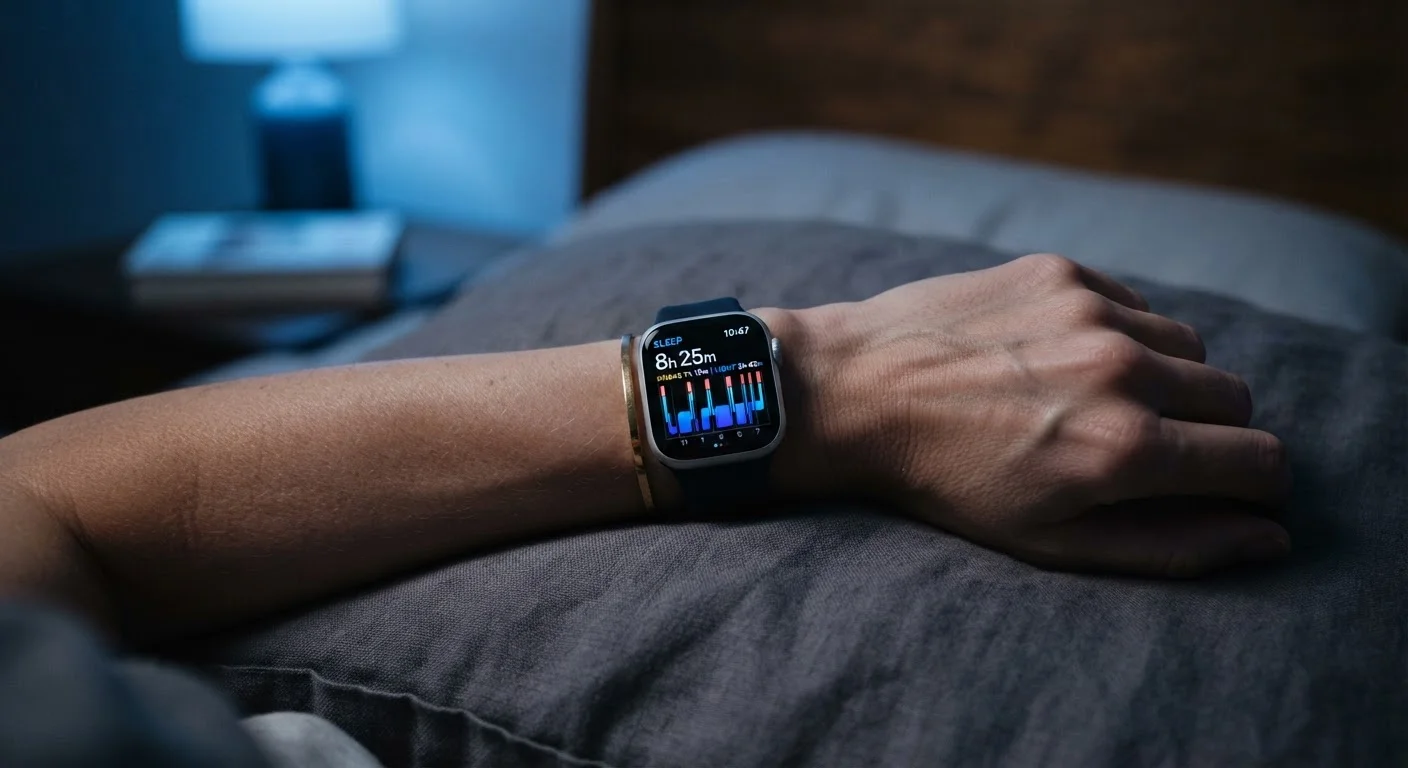
Wearable sleep tracking is the process by which a smartwatch or fitness band uses built-in sensors — primarily an accelerometer (motion detector) and an optical heart rate monitor — to estimate when you fall asleep, how long you sleep, and which sleep stages you pass through during the night. The device analyzes patterns in your movement and heart rate variability to produce a summary of your sleep in an app. This summary often includes estimated time in light sleep, deep sleep, and REM (rapid eye movement) sleep, along with an overall score.
Consumer wearables use photoplethysmography (PPG) — a light-based pulse sensor — to infer heart rate and heart rate variability, which are then fed into proprietary algorithms alongside accelerometer data to classify sleep stages. These algorithms vary by manufacturer and are not the same as clinical polysomnography.
What the Sensors Are Actually Doing While You Sleep
Your wrist-worn device does not read your brain waves — that level of measurement requires electrodes attached to the scalp in a clinical setting. Instead, it relies on two main data sources it already has access to: an accelerometer that tracks physical movement and an optical heart rate sensor that shines light through your skin to measure your pulse.
When you stop moving and your heart rate drops and steadies, the device infers you have fallen asleep. As the night progresses, the algorithm tracks shifts in heart rate variability — subtle beat-to-beat changes in your pulse — alongside any movement or stillness. These patterns are then matched against general physiological signatures of light sleep, deep sleep, and REM sleep to produce estimated stage breakdowns.
For a broader look at what these same sensors do during waking hours, see our explainer on fitness tracker measurements.
Stage Classification Varies by Device
Different wearable manufacturers use proprietary algorithms to classify sleep stages, meaning two devices worn on the same wrist on the same night may produce noticeably different stage breakdowns. This is not a malfunction — it reflects genuine differences in how each company's software interprets the same raw sensor data. Comparing your scores between devices or apps is not straightforward.
Reading Your Sleep Data Without Overreading It
Most sleep apps present data as a colorful chart divided into sleep stages and a single summary score. It can be tempting to treat that score the way you'd treat a blood pressure reading — as a precise clinical measurement. It isn't.
The most useful way to engage with the data is to look for trends over weeks, not to judge individual nights. Ask questions like: Do my worst readings cluster around certain days — late nights, alcohol, high-stress periods? Do I consistently feel groggy despite logging enough hours? Does my estimated REM sleep drop when I travel across time zones?
Those patterns, rather than a single night's score, are what give the data practical value. For a detailed breakdown of where wearable sleep data runs into its limits, our companion piece on what sleep tracking data can and cannot tell you covers the specific caveats worth knowing.
Use Weekly Averages, Not Nightly Numbers
Rather than checking your sleep score every morning, try reviewing a weekly or monthly average instead. This smooths out the variability from individual nights — illness, stress, a late dinner — and reveals the longer-term patterns that are actually worth responding to. Many sleep apps surface this view automatically in their weekly summary screens.
When to Act on What You See — and When to Let It Go
If your data shows you consistently getting fewer hours than you intend — and you feel the effects during the day — that's a practical signal to look at bedtime habits, screen exposure, or caffeine timing. The device has simply confirmed what your body was likely already telling you.
Where things get more complicated is when the data conflicts with how you feel. A wearable that says you slept poorly on a night you felt great is almost certainly picking up noise in its algorithm, not revealing a hidden problem. Conversely, a device that gives you a high score on a night you remember as fragmented and unrestful is equally unreliable in isolation.
Clinically significant concerns — persistent fatigue, suspected sleep apnea, or chronic insomnia — require evaluation by a healthcare professional. A wearable can be a useful conversation starter when you visit your doctor, providing a log of patterns, but it cannot replace a proper assessment. For context on how the device you choose affects what gets measured, our smartwatch explainer walks through the hardware differences that matter.
~80%
Accuracy detecting sleep vs. wakefulness
Research published in sleep science journals generally finds consumer wearables identify sleep vs. wakefulness correctly about 80% of the time, but stage-level accuracy drops considerably.
1–2 weeks
Typical adjustment period for wearing a device to bed
Most users report becoming comfortable sleeping with a wrist-worn device within one to two weeks, according to general user experience research on wearable adoption.
This article is for general informational purposes only and does not constitute medical advice. If you have concerns about your sleep health, consult a qualified healthcare professional.